Corner by corner
An endless road that only bends
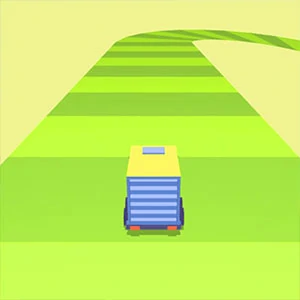
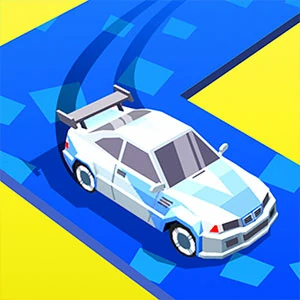
Drift Race 3D is an endless run, which means there is no finish line to aim at and no lap to complete. What you get instead is a road that keeps producing corners, and a car that answers to a single steering input. The run is measured by how long you keep it clean, so consistency across many bends matters more than one perfect drift. Every corner is its own small decision, and the road supplies the next one immediately.
Read the bend before you turn
The corner is visible well before the car reaches it, so the turn can be decided early rather than improvised at the apex. Look at the shape of the road ahead while you are still finishing the bend you are in. Steering that starts early and stays light keeps the car on a clean line, while waiting until the corner arrives forces a hard correction at the worst possible moment.
Short inputs beat late corrections
Steering in Drift Race 3D rewards small adjustments. A brief input changes the angle of the car and can be released before it overshoots, whereas a long hold keeps rotating the car past the line you wanted. When a corner feels wrong, the fix is usually a shorter input rather than a stronger one. Over-rotation is the failure mode to watch for, and it almost always traces back to an input that ran too long.
Point the car at the exit
The useful target through any bend is where the road straightens out, not the piece of tarmac directly in front of the car. Aiming at the exit naturally produces the gentle early turn that the corner wants. It also makes the next corner easier, because the car arrives already pointing down the road instead of still fighting the bend it just left.
Ease off on the long sweepers
Not every bend wants a full input. A long sweeping curve often answers better to a brief release that lets the car settle and carry its own speed through the middle. Try easing off before forcing a wide correction, because the smoothest drift is frequently the one that barely looks like steering at all. Sweepers punish over-input harder than tight corners do, since there is more time for a small error to grow into a wide line.
Every control type steers the same
Keyboard, mouse and touch all feed the same single steering axis, so the corner timing you learn on one setup carries over to the others. Practise on whichever you have to hand, then switch without relearning the game. What changes between them is only how the input feels in your hand, not how much the car turns for a given press.
Questions from the endless road
Does Drift Race 3D have an end?
No. The run is endless, and the road keeps generating corners for as long as you stay on it. That is why the game is about keeping a clean line over many bends rather than reaching a finish. The run ends when you lose the car, not when you complete a set distance.
Why do I keep over-rotating on sharp corners?
An input that lasts too long keeps turning the car after the corner has already been taken. Start the input a little earlier and keep it shorter, then build the length back up as the line feels stable. If the car still swings too far, shorten the input again.
Which control should I use?
Any of them. Keyboard, mouse and touch all steer the same single axis, so the timing is identical across setups. Choose the one that feels most comfortable and stay with it, since switching only changes the feel, not the game.