Keeper-read kicks
Wait for the lean, then swipe
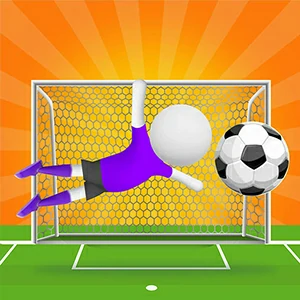
Super Kick 3D World Cup repeats one compact setup every round: a ball on the spot, a keeper in the goal, and a wide stretch of net to pick from. The job is to read the keeper's stance, decide which side they are giving up, and steer the ball into that space with one swipe. Rounds end fast, so each attempt starts with a brand-new read of the goal. A short pause before the swipe exposes a corner that was not visible a moment earlier.
Shoot after the dive starts
Firing during the opening moment of a round usually plants the ball straight at a motionless keeper. Pause for a beat, wait for the lean, and slide the kick into the ground they have walked away from. A shot that arrives late in the open corner is far harder to save, because the keeper is already committed the wrong way. That extra moment is free aiming, and a committed keeper cannot cover the side they just gave up.
Pick the corner the keeper walks away from
Goalkeepers set up in the middle, and most tip one way well before you swipe. The instant they lean, the far side of the net opens up, and that is the spot worth aiming for. A firm swipe in that direction carries the ball into ground the keeper just quit defending. That far patch stays open longer than anywhere else in the goal, which makes it the most dependable target on screen. Read the lean first, then shoot.
Keep the drag smooth and steady
Where the ball ends up is decided by the gesture, so a hurried flick can push it off the intended line. Drag at a smooth, steady tempo, point the movement at the goal, and use the swipe length to set the power. A slower gesture is easier to copy, and being copyable is what keeps a run of attempts going. A smooth stroke also holds the ball on the chosen route, because a rushed flick bends the path and carries it away from the net.
Fine-tune the placement after a save
When the keeper turns a shot away, resist the urge to rework everything. Look at which side stopped the ball, then nudge the aim a little closer to the opposite post. One small change keeps the next outcome easy to read, while a complete redesign hides the parts that were already right. Leave the swipe speed and the timing untouched and alter the placement alone. The next attempt then tests only the new target, and close misses start turning into goals.
Penalty-spot questions, answered
Where is the safest spot to put the ball past the keeper?
The corners are the dependable spaces, not the middle of the goal. Keepers tend to guard the centre and give up the wings, so watch which side they commit to and steer the ball toward the opposite end. A strike placed early into that far corner is the one they can hardly reach, especially when the swipe keeps a straight line to the target.
Why does a well-aimed shot still get saved?
Look at the swipe itself, not only the aim. A swipe that bends off course or moves too fast shifts where the ball finally lands, so the keeper has time to reach it. Keep the drag on a straight path toward the goal, and change the swipe length before you touch the angle. Fine-tuning one thing at a time gives clearer feedback than a big overhaul between rounds.
How should I change my kick after a save?
Adjust only the placement. Look at which side stopped the ball and nudge the aim a little closer to the opposite post, while keeping the swipe speed and timing exactly as they were. One small change keeps the next feedback clean, because you test only the new target. If that shot also comes back, move the aim a touch further and try the same rhythm again.
What should I do while the game is loading?
Let the loading screen finish before you touch anything, since the match area streams in behind it. Once the field and the keeper appear, wait one more moment for the scene to settle, then start reading the goal. Trying to swipe during the loading phase does nothing useful, so treat the wait as part of the setup and keep your first read fresh.